 Screen Divider
Traditional measurement tools such as rulers and protractors aren’t designed for use directly on a computer display, making precise on-screen measurements a challenge. That’s why Screen Divider was developed—to provide a reliable way to measure distances, Cobb angles, and verify parallel lines on any image or schematic displayed on your computer screen.
Screen Divider provides an efficient solution for designers working with digital renderings, making it quick and convenient to conduct length, width, and angle measurements directly on screen—without the need to print a hardcopy.
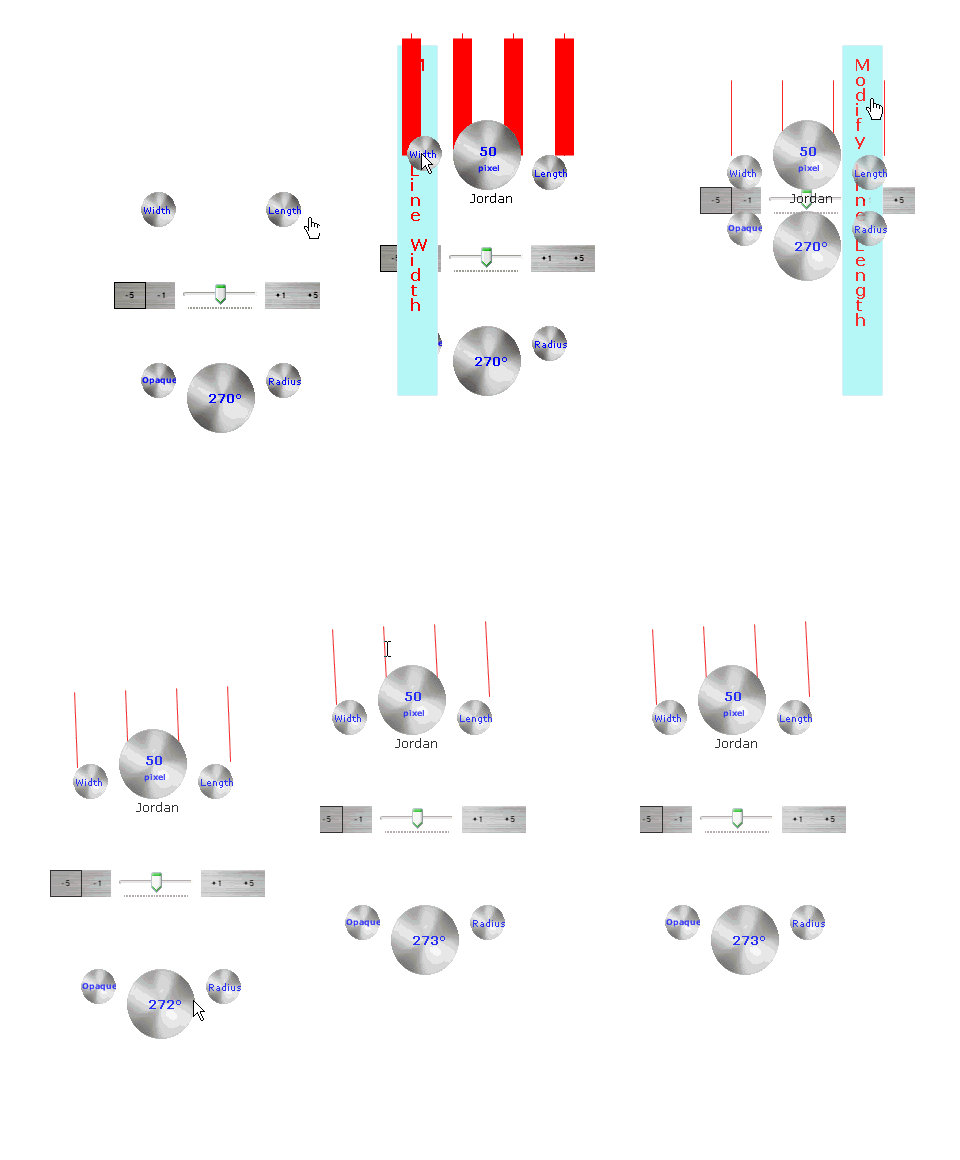

Screen Divider puts a convenient, versatile measuring tool right on your computer screen. The fully configurable overlay is controlled entirely with your mouse, giving you an intuitive way to adjust divider-line width and achieve precise, evenly spaced on-screen elements. Add a second divider to calculate Cobb angles, or use Screen Divider to easily verify that two lines are perfectly parallel.
Combine these capabilities with Screen Divider’s ability to measure the distance between any two points on your screen, measure the angle between any two lines, and determine the angle of any line relative to the horizontal, and you have a versatile measurement tool that can become an essential part of your development toolkit.
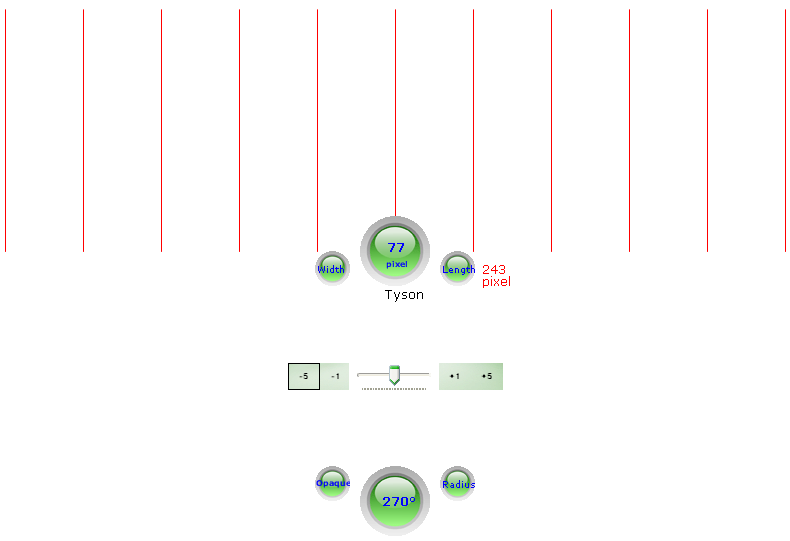
Measure and analyze graphs
Screen Divider can also be used to measure and analyze graphs directly on your screen, making it easy to compare distances, angles, slopes, and other graphical elements without printing the graph.
Analyze Perspective and Vanishing Points
Screen Divider can help you analyze perspective in images and drawings by providing tools for working with lines that converge toward a vanishing point. This can be useful when studying perspective, composition, technical drawings, and digital images.
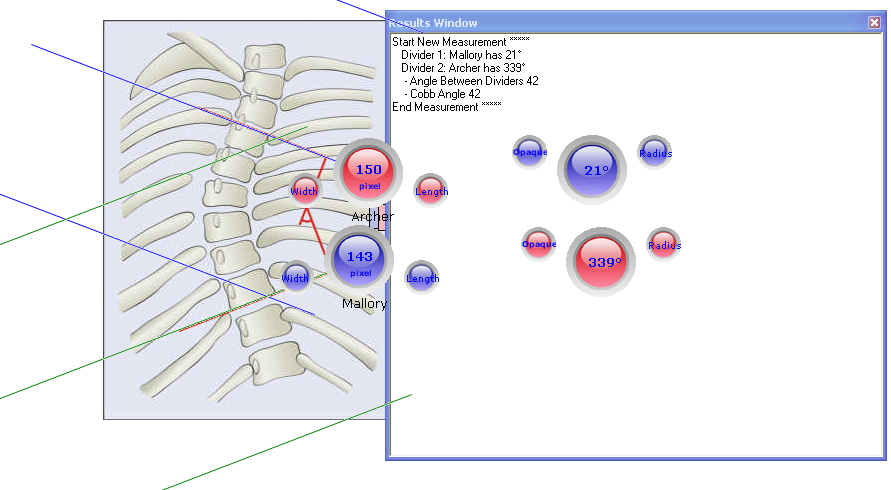
Measure Spinal Curvature - Measure the Cobb Angle
Screen Divider's adjustable lines make it easier to measure the Cobb angle on X-ray images
More than an on-screen ruler
Screen Divider is more than a simple ruler or protractor. It is a versatile on-screen measurement and geometry tool that lets you measure distances and angles, check parallel lines, analyze graphs and shapes, and work with perspective directly on your computer screen.
Screen Divider includes a variety of specialized modes that make it useful for more than basic distance and angle measurements.
Depending on what you are working with, you can use different divider modes for common-point measurements, parallel lines,
ascending and descending lines, vanishing points, shapes, and images.
Multiple Divider Modes
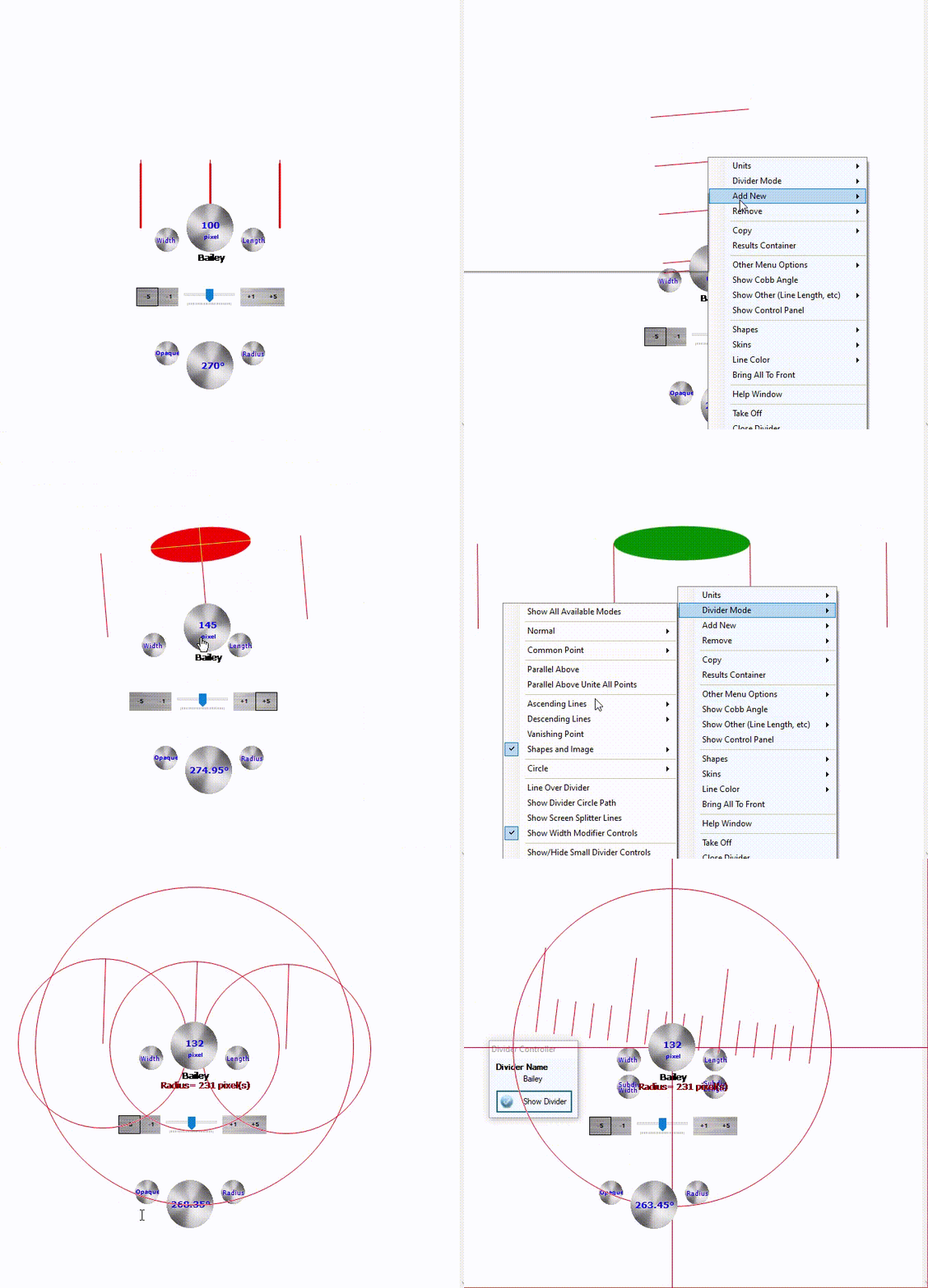
Screen Divider offers over 25 working modes that transform it from a simple on-screen measuring tool into a versatile instrument for geometry,
alignment, and visual analysis. Depending on your task, you can create lines that share a common point, compare parallel lines,
work with ascending or descending lines, analyze vanishing points, and examine geometric shapes and images.
You can also work with circles and ellipses, rotate shapes and images, and customize the appearance of the divider to suit your needs.
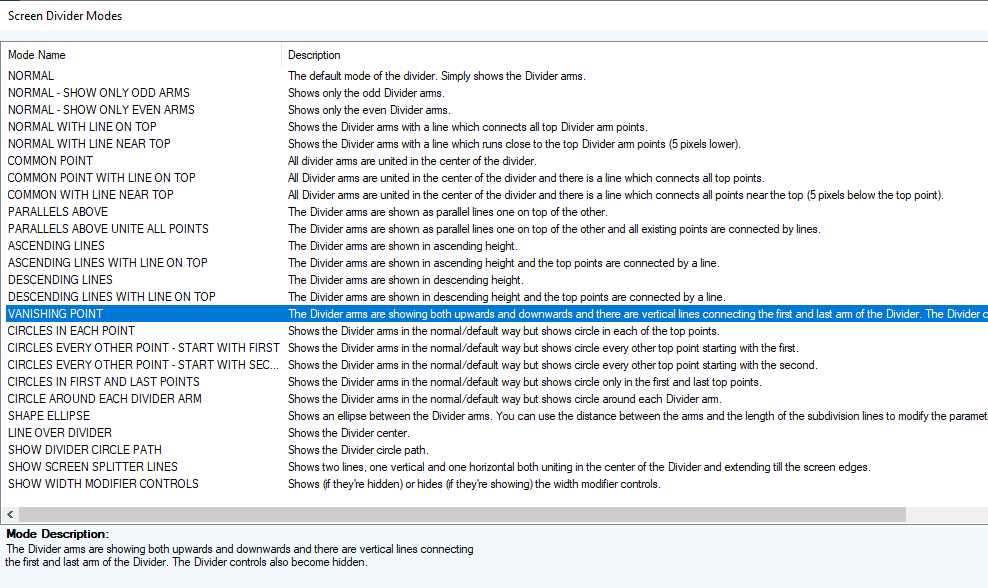
Click here to watch this demonstration and see the different working modes in action! plays as an animated Gif.
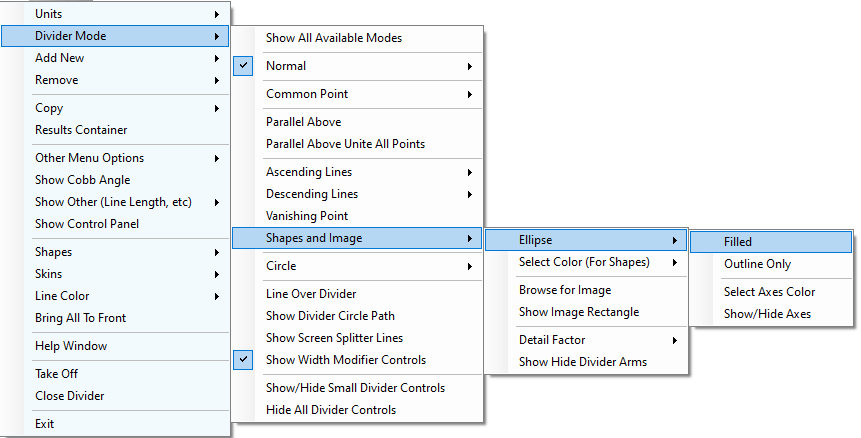
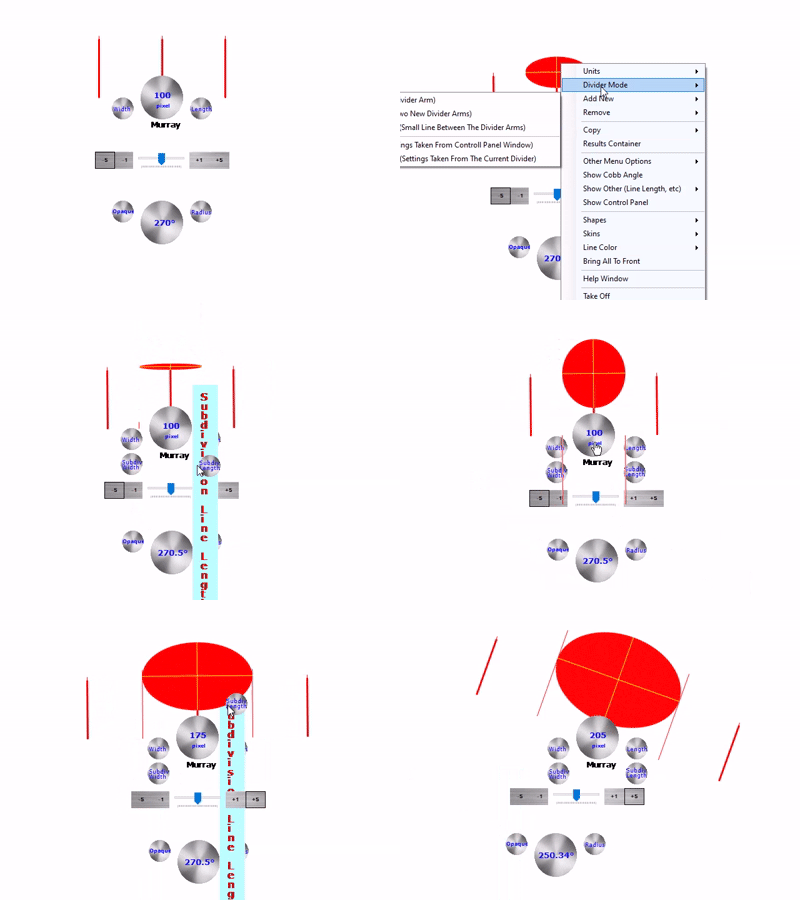
Analyze and Rotate Ellipses
Use Screen Divider with ellipses to examine their orientation and alignment directly on screen.
You can also use Screen Divider to rotate ellipses.
Common Point Mode
Bring measurement lines together at a common point to compare their directions and examine angles. This mode is useful for geometry, technical drawings, and analyzing intersecting lines.
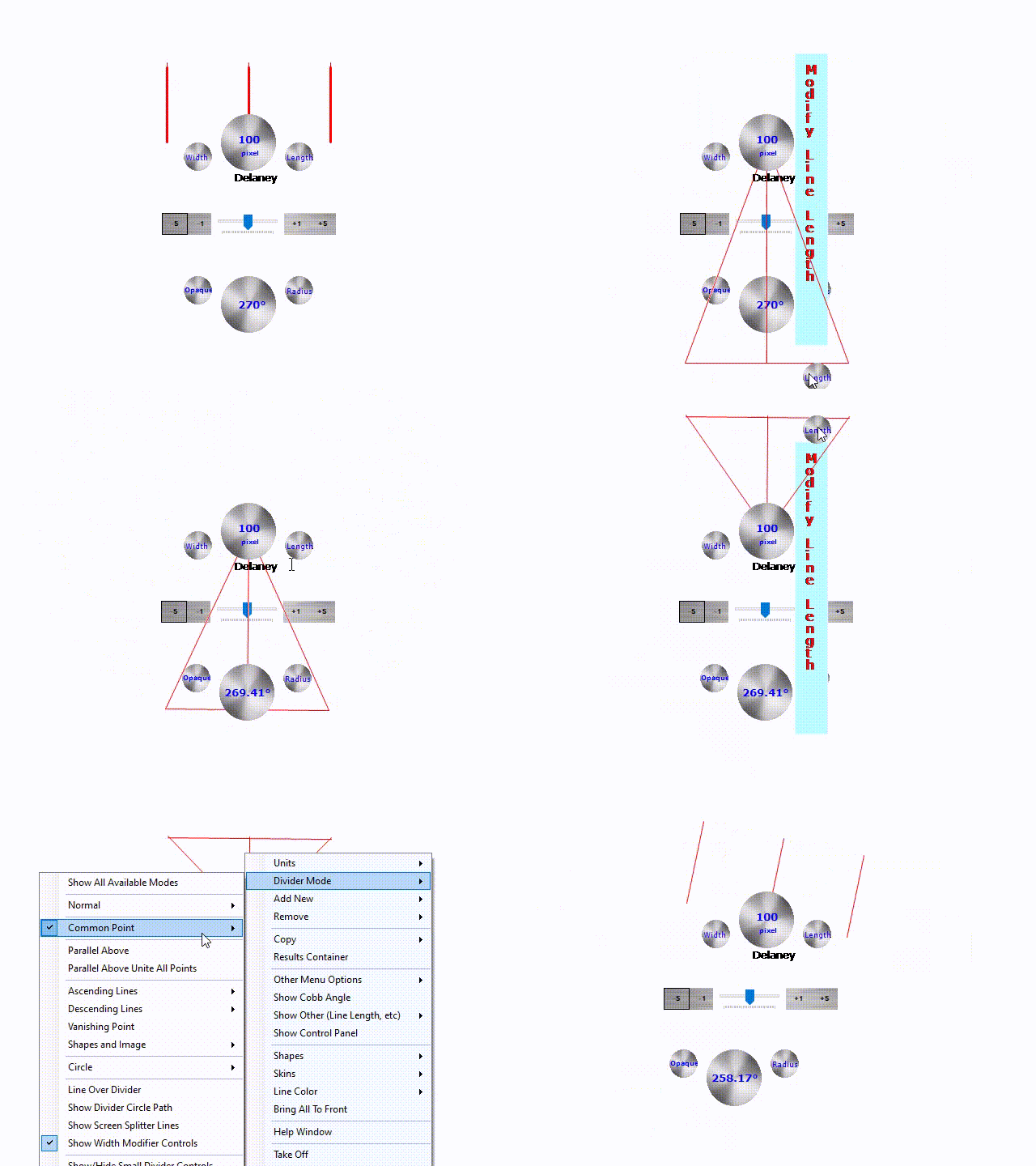
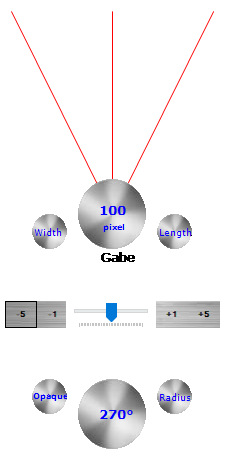
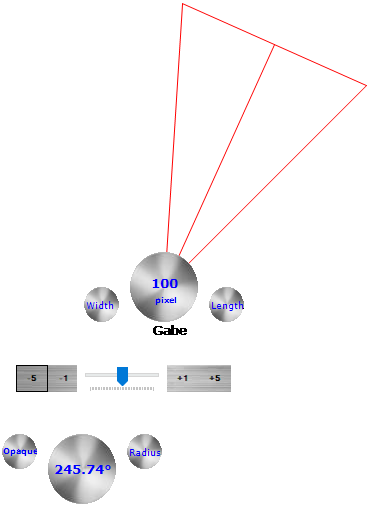
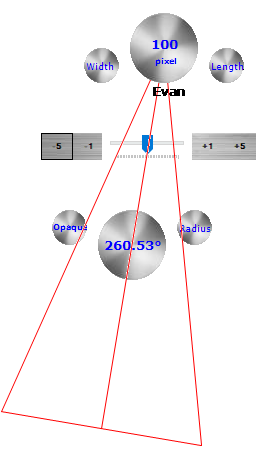
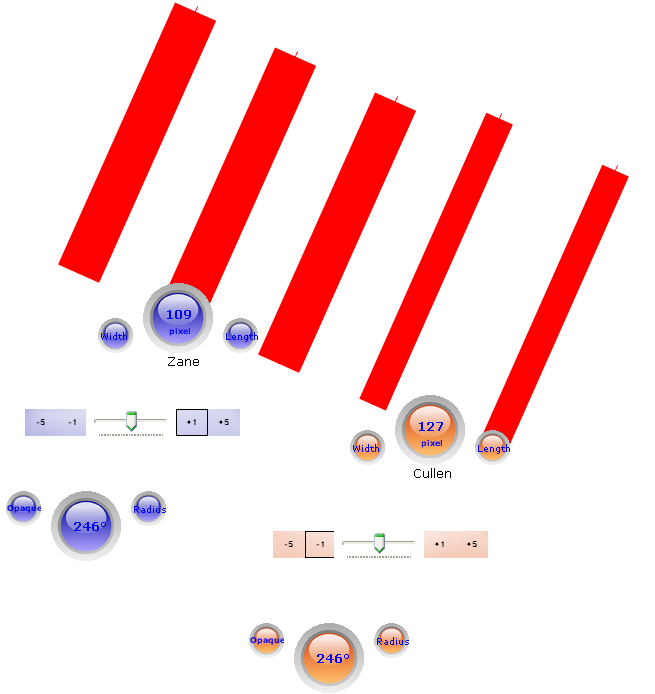
For the Common Point Mode, please notice the two images below showing two Common Point Regular Mode and Common Point With Line on Top Mode
Parallel Line Modes
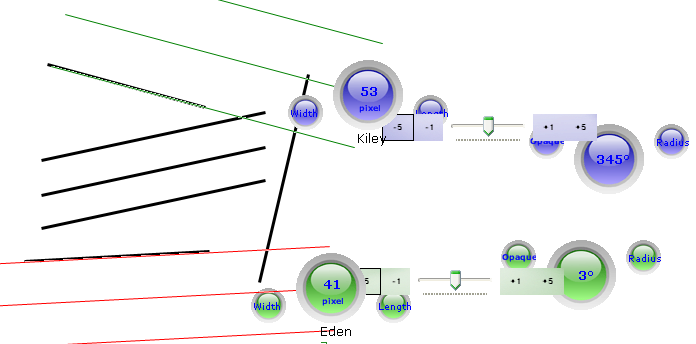
Display and compare parallel lines to check alignment, spacing, and orientation. Use these modes when examining technical drawings, diagrams, graphs, or other visual material where parallelism matters.
Ascending and Descending Line Modes
Work with lines in ascending or descending arrangements to compare slopes and orientations. These configurations are useful for examining graphs, geometric patterns, and lines in drawings or images.
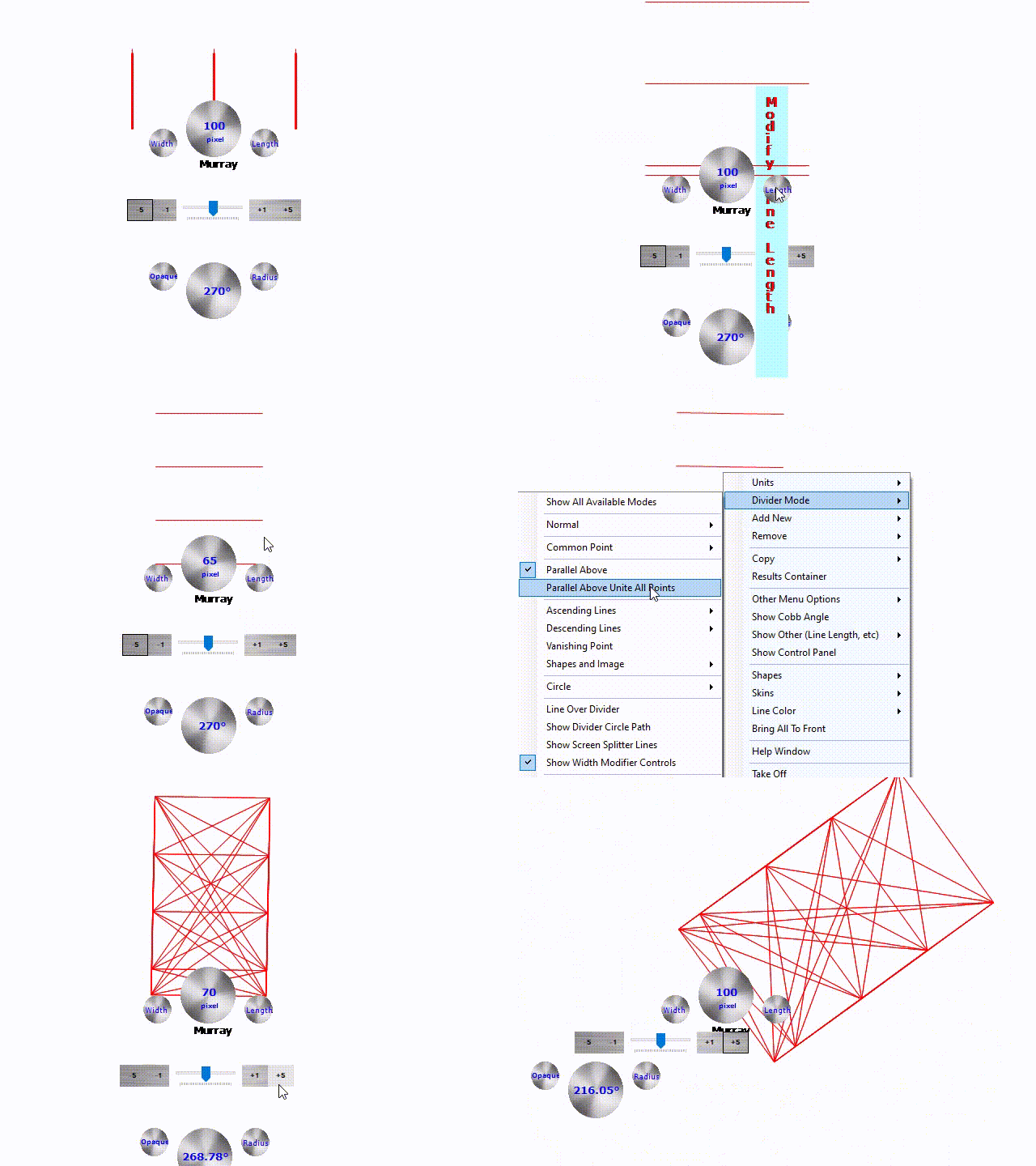
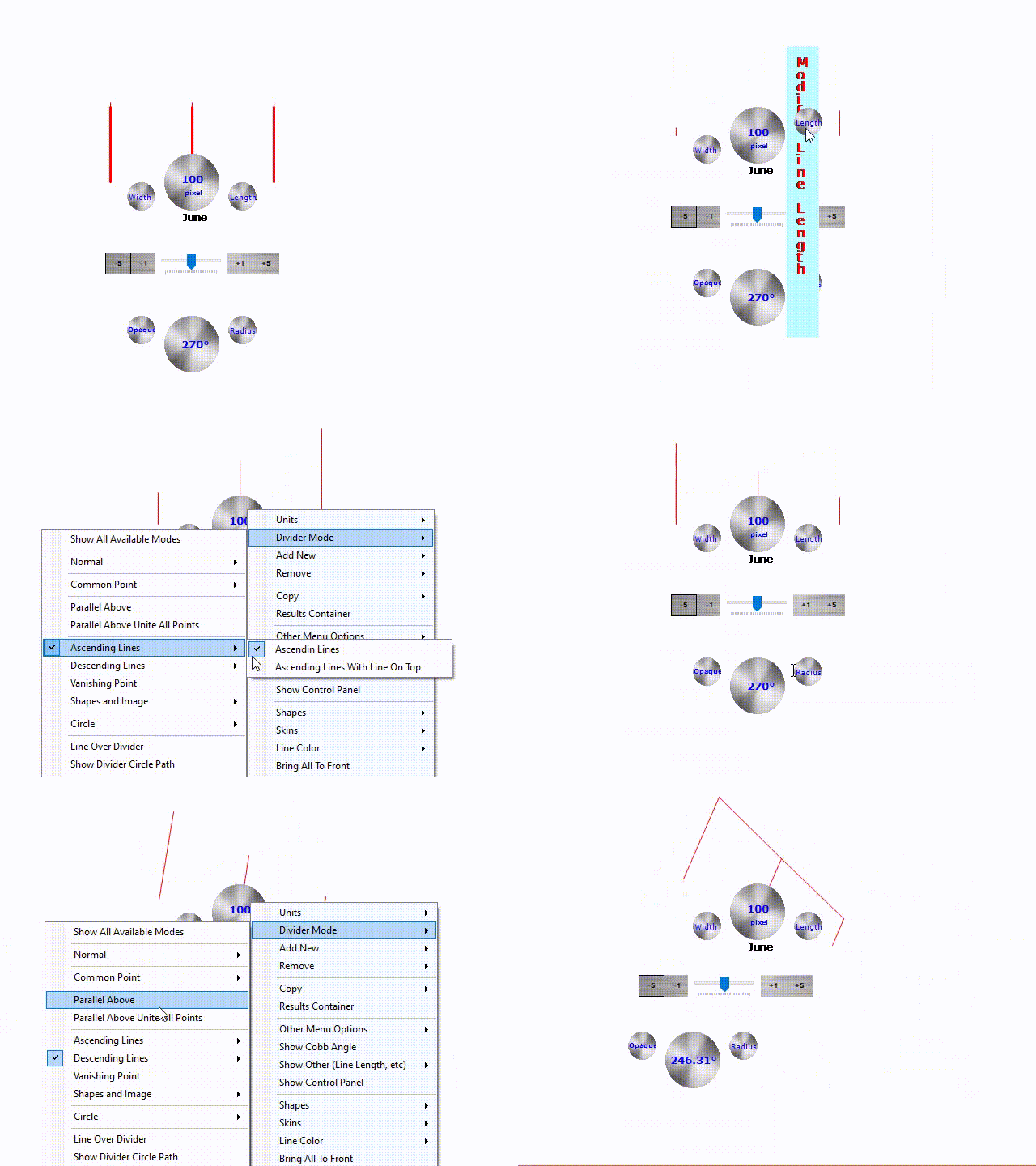
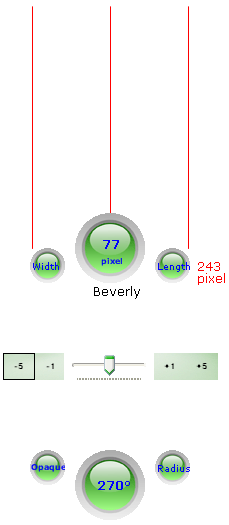
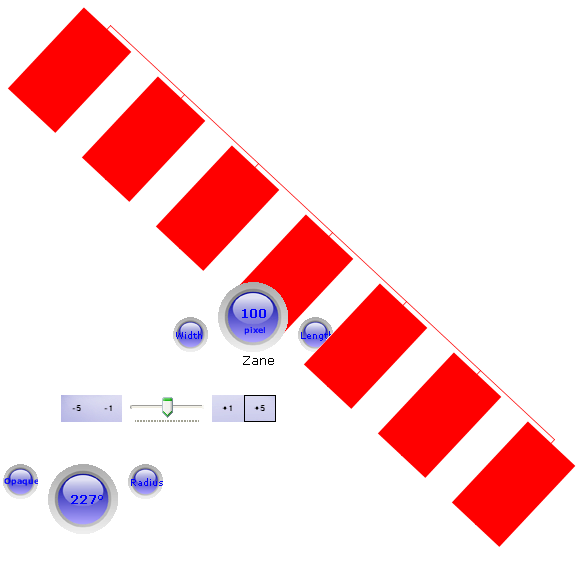
For the Parallel Line Modes, please notice the two images below showing this mode in action.
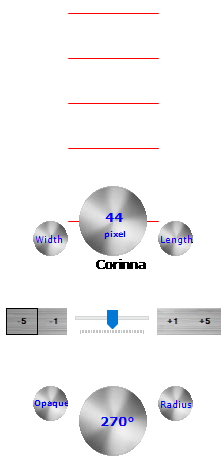
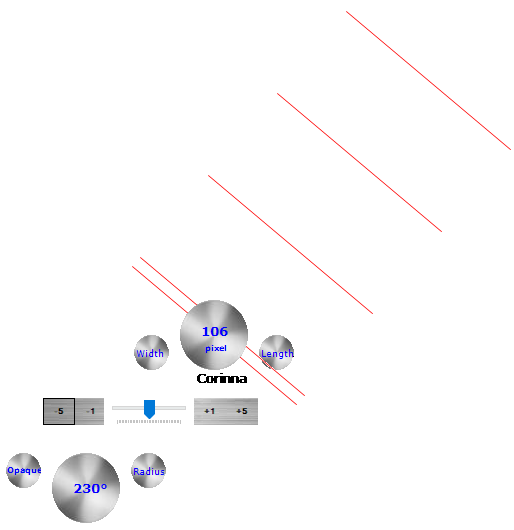
Work with Shapes and Images
Go beyond straight-line measurements by working with geometric shapes and images directly on your screen. Load images, examine circles and ellipses, and rotate supported shapes or images to investigate their orientation and alignment.
Work with Images
Load an image into Screen Divider and use the divider controls to examine and adjust its orientation directly on your screen.
Screen Shapes
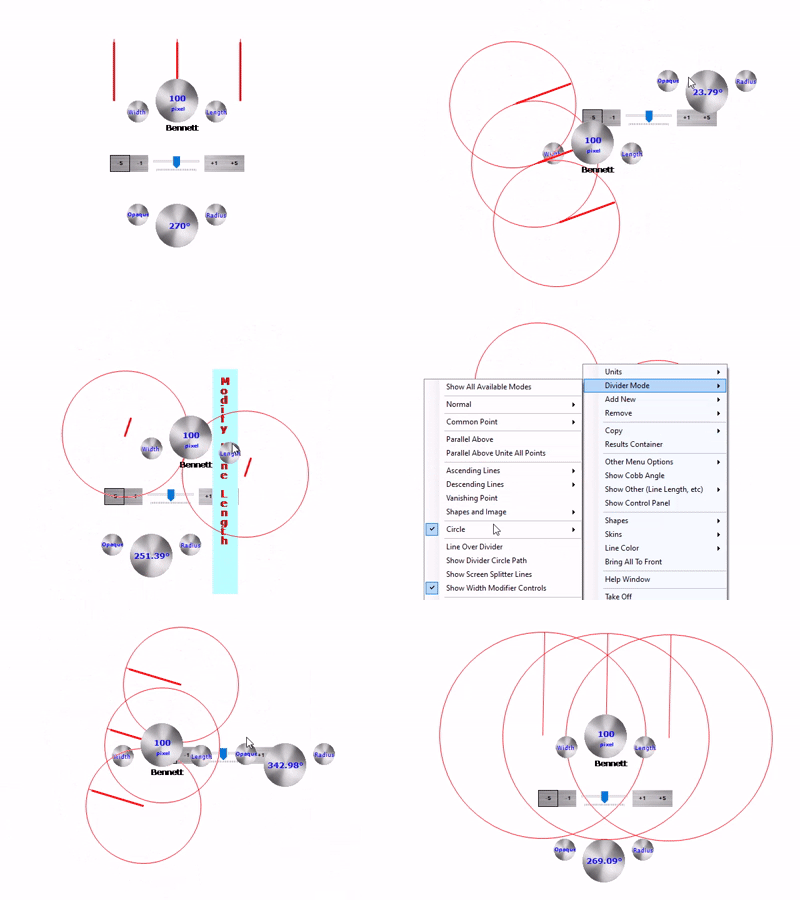
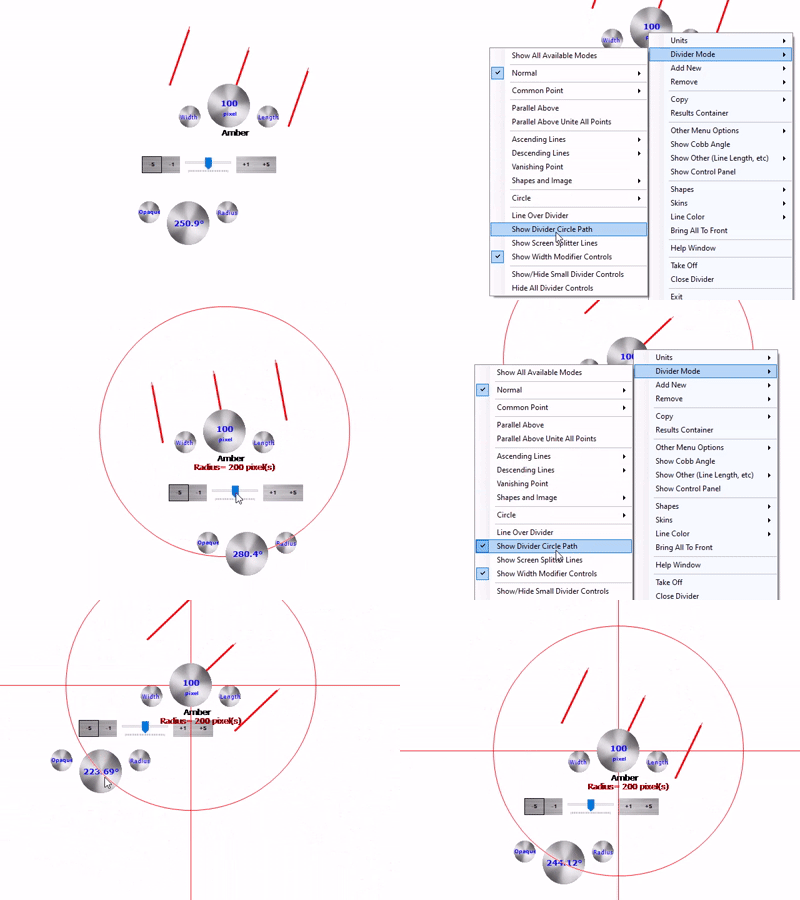
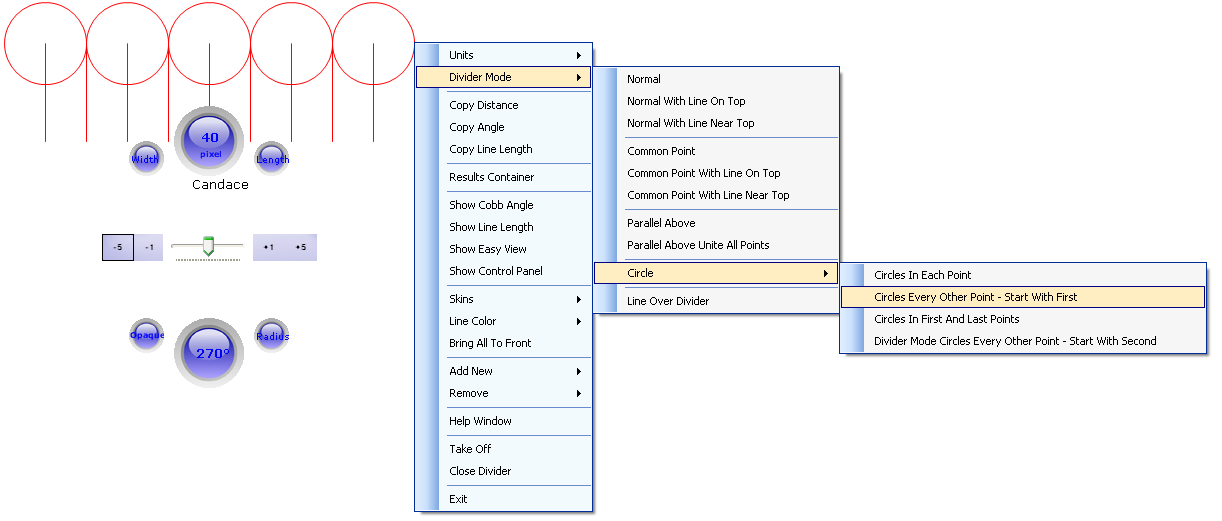
Display and work with geometric shapes such as circles and ellipses directly on your screen. Notice the animations below showing the Screen Divider circle mode as well as the Screen Divider circle path and line splitter modes:
Screen Divider can be useful for:
Using Screen Divider you can do the following:
Key Takeaway: Screen Divider lets you:
Click here to read the Frequently Asked Questions!
Here is what ChatGPT says you can do with the Screen Divider application:
Screen Divider runs on Windows XP, Vista, 7, 8/8.1, 10, and 11, in both 32-bit and 64-bit versions.
Purchase Screen Divider:
Buy via FastSpring at 50% off:

Screen Divider lets you measure distances between points,
angles between lines, and the angle of a line relative to
the horizontal. It can also help you examine parallel lines,
geometric shapes, graphs, and perspective.
Yes. You can position the divider over on-screen content
and use its measurement and alignment tools without
printing the material.
Yes. Screen Divider lets you define your own measurement
units, making it useful for different measurement and
comparison tasks.
Yes. Screen Divider provides more than 25 working modes
for different tasks, including common-point measurements,
parallel lines, ascending and descending lines, and
geometric shapes.
Yes. A feature-limited trial is available so you can explore
the application and evaluate its functionality before
purchasing a license.
Yes. Screen Divider can be used to measure the Cobb angle
on displayed spinal X-ray images by positioning its
measurement lines along the relevant vertebral endplates.
The measurement is an aid and does not replace
professional clinical assessment.
Yes. You can position and adjust the divider lines over
the content displayed on your screen to examine angles
without printing the image or drawing.
Yes. The available working modes let you position and
compare lines to examine parallelism, alignment, and
their relative directions.
Yes. Its working modes can help you examine converging
lines, vanishing points, and perspective relationships
in photographs, drawings, and other visual material.
Yes. Screen Divider is designed to work as an on-screen
overlay, allowing you to position the divider over content
displayed in other applications. Its transparency and
click-through capabilities can help you work with the
underlying content.
Yes. The transparency settings let you adjust how clearly
the underlying image, drawing, or other content remains
visible while you use the divider.
No. You can perform measurements directly over content
displayed on your computer screen, which can save time
and avoid unnecessary printing.
Yes. It can help with geometry, trigonometry, graphs,
technical drawings, angles, and other visual measurement
exercises, making it a useful supplementary tool for
learning and demonstrations.
Yes. It can help you inspect line orientations, angles,
alignments, proportions, and perspective in technical
drawings, plans, illustrations, and other on-screen material.
No additional physical measuring instrument is required
for its on-screen measurement functions. The application
provides adjustable measurement guides that you position
over the content you want to examine.
Please refer to the licensing and purchasing information
on this page for the current license terms, technical
support arrangements, and upgrade policy.
You can purchase a license using one of the purchase
options provided on this page. Check the displayed price
and license terms before completing your order.
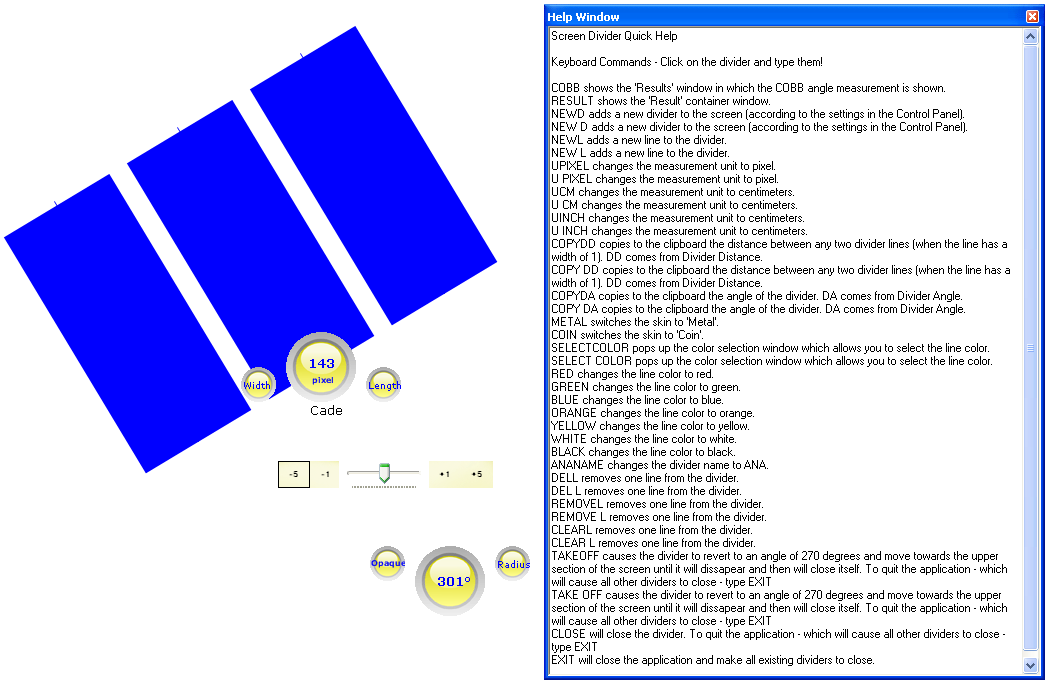
Screen Divider Screenshots and Videos:
Frequently Asked Questions About Screen Divider
What can I measure with Screen Divider?
Can I use Screen Divider with images and drawings?
Can I customize the measurement units?
Does Screen Divider support different working modes?
Can I try Screen Divider before purchasing it?
Can Screen Divider measure the Cobb angle?
Can I measure angles directly on my computer screen?
Can I use Screen Divider to check whether lines are parallel?
Can Screen Divider help with perspective analysis?
Can I use Screen Divider while working in another application?
Can I adjust the transparency of the divider?
Do I need to print an image to measure it?
Is Screen Divider useful for students and teachers?
Can Screen Divider be useful for architects, engineers, and designers?
Does Screen Divider require specialized measurement equipment?
What does a Screen Divider license include?
How can I purchase Screen Divider?